


Photoshop help - grrr BWW - fuzzy wuzzy wuzn't supposed to be here
BSoBW3
Broadway Legend Joined: 1/21/06
#0Photoshop help - grrr BWW - fuzzy wuzzy wuzn't supposed to be here
Posted: 2/2/06 at 8:44pm
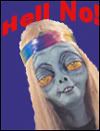
As you see in my av, the text is all funky. Well, the whole image is.
I saved this image as a jpg in Photoshop.
When I uploaded it to BWW it got all messed up. Yet, when you click on it to "enlarge" it, it looks fine.
The thing is, the size of it was never changed - only the quality.
I even tried uploading it in Photobucket and save it...didn't work. Anyone know why?
I also wonder if this can be fixed not only for this av, but for others.
Thanks.
BSoBW3
Broadway Legend Joined: 1/21/06
#1re: Photoshop help
Posted: 2/2/06 at 10:02pm
Bump for edit.
Rob?
ikmbway
Broadway Legend Joined: 2/22/05
#2re: Photoshop help
Posted: 2/2/06 at 10:04pmNot sure but I get the same problem all the time when I make buddy icons for aim. It always pisses me off. Usually I just use the paintbrush and make hte letters more bold and stuff. If you zoom in its easier. I don't think it has anything to do with the site.
BSoBW3
Broadway Legend Joined: 1/21/06
#3re: Photoshop help
Posted: 2/2/06 at 10:06pm
Hmmm...I wonder if it has to do with the size of the image?
I don't remember this happening before...at least not on BWW.

#4re: Photoshop help
Posted: 2/2/06 at 10:07pm
Try making an icon exact size and saving with the highest jpg compression.
the icon should be no greater that 100 px wide. a good size is 100x130
BSoBW3
Broadway Legend Joined: 1/21/06
#5re: Photoshop help
Posted: 2/2/06 at 10:12pm
Thanks Craig.
It is now a perfect 100x130 but still distorted.
#6re: Photoshop help
Posted: 2/2/06 at 10:14pmThis would be a good mystery to solve, I always experience similar problems depite the size of the image 90x90, 100x100...all the same.
BSoBW3
Broadway Legend Joined: 1/21/06
#7re: Photoshop help
Posted: 2/2/06 at 10:17pm
Yes. Does it have to do with the file's size?
#8re: Photoshop help
Posted: 2/2/06 at 10:30pm
I generally save everything in jpeg, at highest quality (12?)...I haven't experimented with any other format because it doesn't seem to pose a problem anywhere else except on BWW.
Updated On: 2/2/06 at 10:30 PM
BSoBW3
Broadway Legend Joined: 1/21/06
#9re: Photoshop help
Posted: 2/3/06 at 12:36am
Interesting.
I don't remember this happening with other files...
How SAD!
Well, I guess it makes it more hallucinogenic, huh?

#10re: Photoshop help
Posted: 2/3/06 at 8:03amYou need to edit the canvas size. When you do that click the button to keep perportions. If you can't figure it out, send it to me and I'll do it for you.
Some guy: You looked great!
Idina: Thanks...I WAS SO HIGH! 8/21/05
Videos