So I'm in the process of moving over my music files from a PC to a Mac. I want all my albums to have lovely artwork in Cover Flow. I've run the option to get artwork for my music that already have album names but I am still left with many albums that are image-less. So I have tried manually typing in album titles for ones that are missing, sometimes it works, sometimes it doesn't (iTunes says it can't find the album, even when the title I typed in is exactly the same as it is in the iTunes store...)
So any advice!?
I just posted all the answers you need at the main board... Look for the thread...
Updated On: 12/13/07 at 06:51 PM
j*, which thread?
I have the same problem tag. It's frustrating!
Broadway Legend Joined: 12/13/06
Those directions are a bit overcomplicated.
Instead of dragging to each individual track in the Now Playing area, I would select all of the tracks you want to change and then once they're selected you go to File - Get Info. A box that says Multiple Item Information pops up, and on the right side there's a little square that says Artwork. You drag the photo you've found into that box (sometimes you have to minimize iTunes a bit so you can select it the file). You can drag from your computer (desktop, or a file you have it saved into) and you can also drag straight from the web browser once you've located it through a search.
...oh, wait. Unless it's different in MAC. If doing it this way is impossible on MACs? MAC has made it too complicated.
Updated On: 12/13/07 at 07:10 PM
How do you select all the tracks Craww?
Broadway Legend Joined: 12/13/06
I use the shift key and click each one I want selected. Again, I don't know if that's different on a MAC somehow. If it is, there should be some way to do it.
Updated On: 12/13/07 at 07:20 PM
Thanks Craww!
Do you HAVE to save the picture files on your computer? And if you do, can you then delete them from your computer and will they STAY in iTunes?
I was able to just drag the pictures over from whatever web page i found it from.
When you put a CD ... make sure your internet connection is on bec. it will drag ALL the information on previous poster who type info on your album..so you dont have to type every single songs..artist..etc...
Best way to do is to re-boot your computer- open a browser (Safari or Explorer) go to yahoo.com and then Open your iTunes.... then insert your CD in that order...
Hope this helps.
J*
Do you know why iTunes isn't recognizing what I have typed in?
Broadway Legend Joined: 12/13/06
Just to piss you off.
IDK. Sometimes iTunes just refuses to recognize it, and you have to add it manually. Even if you type it exactly as they have it, some tiny detail you'd never think of in the other info could be throwing it off.
You don't have to save the images, I usually just copy and paste or drag them from the web browser I find them in.
I'm on a PC, but if I can't find the artwork, I just save it from Amazon.
I can't seem to get the artwork to go to the box in itunes. I tried dragging, but it won't go from explorer to itunes. I tried cut/paste but also no go. Any other ideas?
Broadway Star Joined: 10/1/07
Tag, the reason iTunes will not recognize your CD and get you the artwork automatically is because the album tags (title, song name, genre, etc.) of the CD has to be identical to iTunes.
The easy way to do things is to go to some great CD Album cover websites. Amazon cover artwork blows unless a user uploads a grat 500x500 high res scan of the cover. www.albumartexchange.com and www.allcdcovers.com are just two sites I highly recommend.
You can do 1 of 2 things once you get the artwork you want. You can copy and paste it to the album in iTunes or you can save it to a special folder on your computer and then select it that way. You can then delete the pictures from your computer your CD will forever be tagged with the artwork. iTunes retains the info.
It's really quite simple.
as posted in the Xanadu OBCR CD release party thread
************
(for MAC users only)
But here's a way to put photos on iTunes (for everyone)
1. Save the photo on your desk top
2. Open iTunes
3.Highlight (in blue) the song -you want to put photo
4. Drag the Photo to the iTunes Box on youur left where is says..NOW PLAYING BOX (where photos appear)
5. If you have no picture- youre all set...
6. But if there's an Existing photos..on iTunes- Click FILE-GET INFO-ARTWORK
7. Then interchange the photo (you want on left)
8. Hit Okay...
9. Remember you have to do steps 3-8 on all tracks..
Hope that helps.... I will use the Playbill Photos on mine.. That's what I did with all
my OBCR.
J*
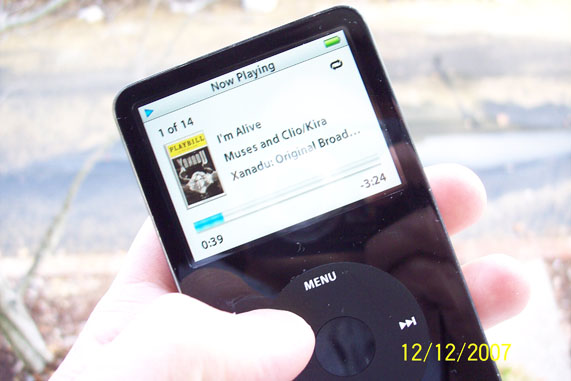
Updated On: 12/14/07 at 09:05 AM

9. Remember you have to do steps 3-8 on all tracks..
If you single click on the first song in the album (highlight that song in blue) then press the shift key and single click on the last song in the album, all songs in your album will then be highlighted. Then "get info" (command - i), drag and drop your image into the Artwork box then press okay. All songs in that album will now have the artwork.
Videos